THE OPERATIONAL CORE
Kitchen & Fulfillment
From the moment an order is received to the moment it reaches the customer, every stage of kitchen operation and order fulfillment is managed, tracked, and synchronized in real time.
The kitchen is where the speed and accuracy of an operation are determined. Orders arrive from multiple channels simultaneously, each with different preparation requirements, different fulfillment methods, and different timing expectations. Coordinating this without a unified system results in delays, missed tickets, and inconsistent output. BiteCloud's kitchen and fulfillment layer connects every stage of the production and dispatch process into a single operational view.
Live Orders. Zero Paper.
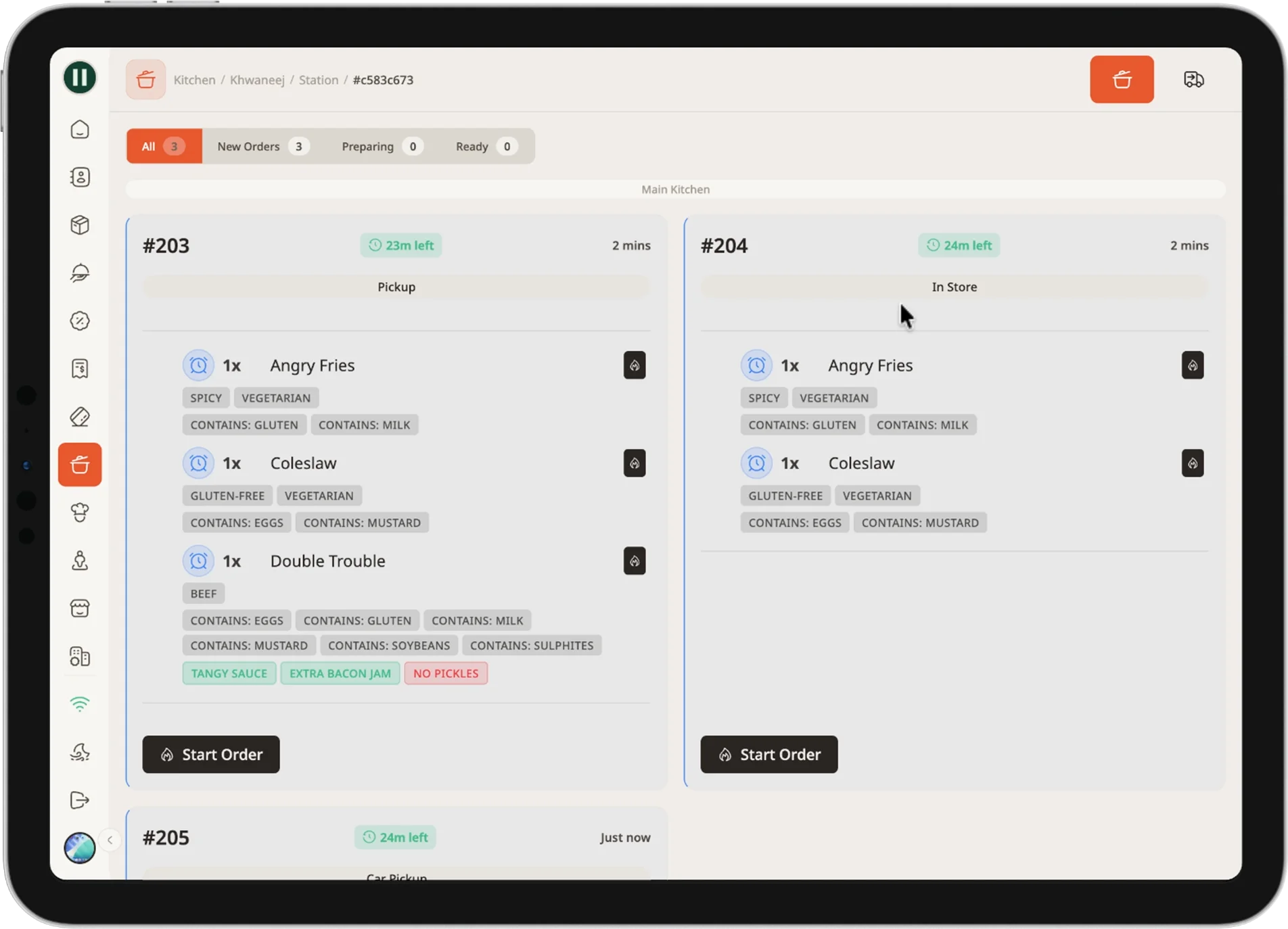
The kitchen display system runs on any screen connected to the network, replacing paper tickets with a live, structured view of all active orders. The interface is optimized for kitchen environments: large text, high contrast, and touch-based controls designed for use with gloved hands or bump bars.
Live Orders
Real-time order display replaces paper tickets with a structured, always-current view.
High Contrast
Large text and high contrast designed for visibility in busy kitchen environments.
Touch Controls
Designed for gloved hands and bump bar compatibility for quick order progression.
Every Station. Its Own Queue.
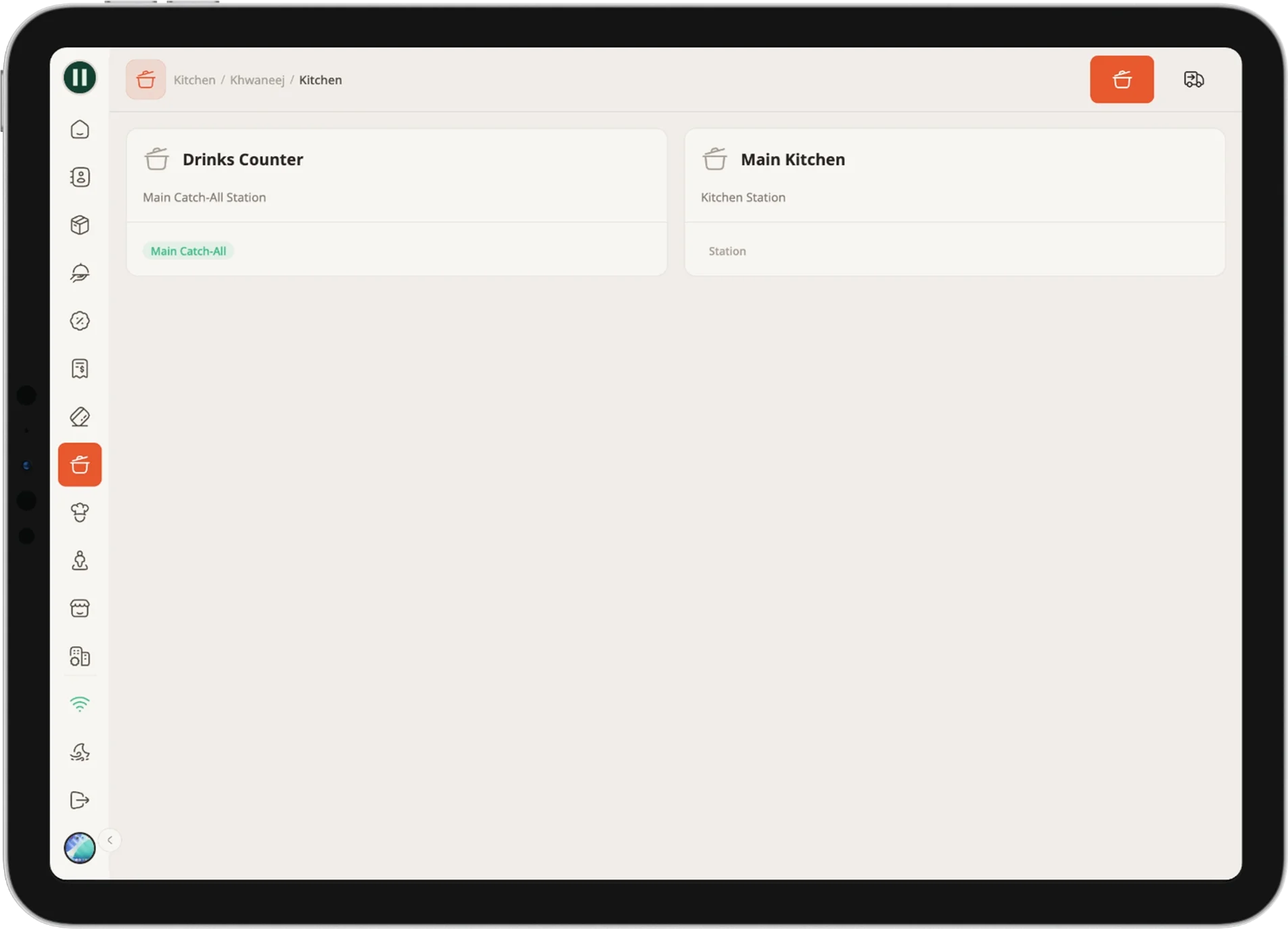
Each station is configured independently to display only the orders and items relevant to it. A hot kitchen station sees hot items. A cold prep station sees cold items. A pastry station sees its own queue. Items within the same order are routed to their respective stations simultaneously, and each station tracks its own preparation progress independently.
Hot Station
Grills, fryers, and hot prep see only items requiring heat.
Cold Station
Salads, cold appetizers, and prep routed to cold stations.
Pastry Station
Desserts and baked goods route to dedicated pastry queues.
Custom Stations
Create unlimited stations per product. Define your own workflow exactly as your kitchen operates.
Independent Progress
Each station tracks preparation independently within the same order.
From Queue to Dispatch.
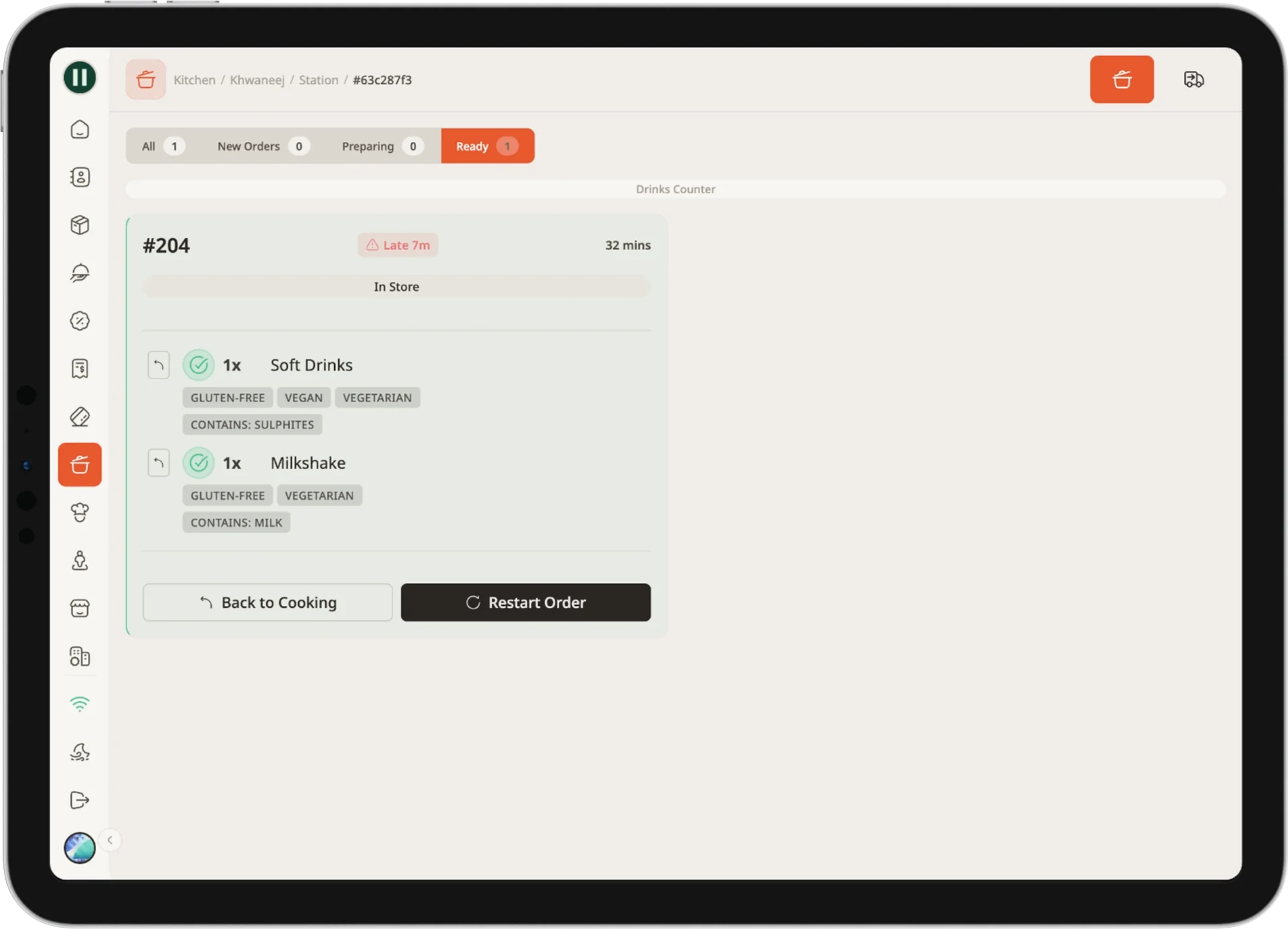
Items move through defined stages from the moment an order is received: queued, in preparation, ready, and dispatched. Kitchen staff progress items through stages with a single action. The fulfillment counter sees a consolidated view of all items that are ready for dispatch across all stations, organized by order and destination.
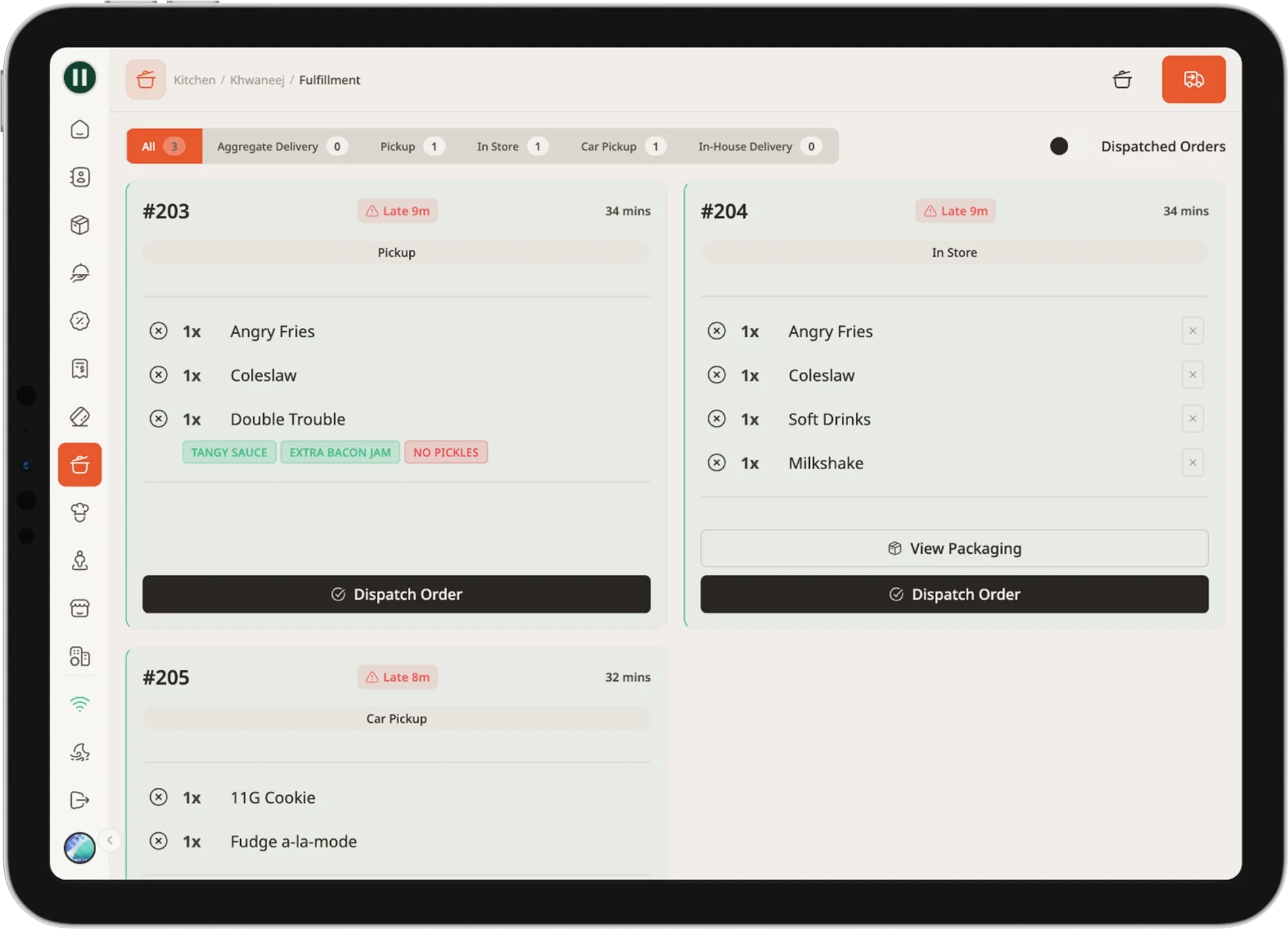
Queued
Orders arrive and enter the queue immediately upon confirmation.
In Preparation
Kitchen staff claim items and mark preparation in progress.
Ready
Completed items stage for pickup at the fulfillment counter.
Dispatched
Orders leave the kitchen to their final destination.
Automatic Destination.
Dispatch routing is determined automatically by the fulfillment type of each order. Dine-in orders trigger a notification to the assigned server. Pickup and car drop-off orders stage at the counter with a customer notification. Delivery orders route to the packaging station. Each approach operates without manual routing decisions from kitchen staff.
Dine-In
Server receives notification when table order is ready.
Pickup & Car
Counter staging with automatic customer notification.
Delivery
Routes to packaging station for handoff to driver.
Aggregators
Status updates pushed to Talabat, Deliveroo, and other platforms.
Every Screen. Same State.
Every status change within the kitchen propagates to all relevant screens simultaneously. A customer tracking their order on the website sees updates the moment the kitchen marks an item as ready. An aggregator platform receives a status update without any manual input from staff. The POS reflects the current preparation state of every active order at all times.
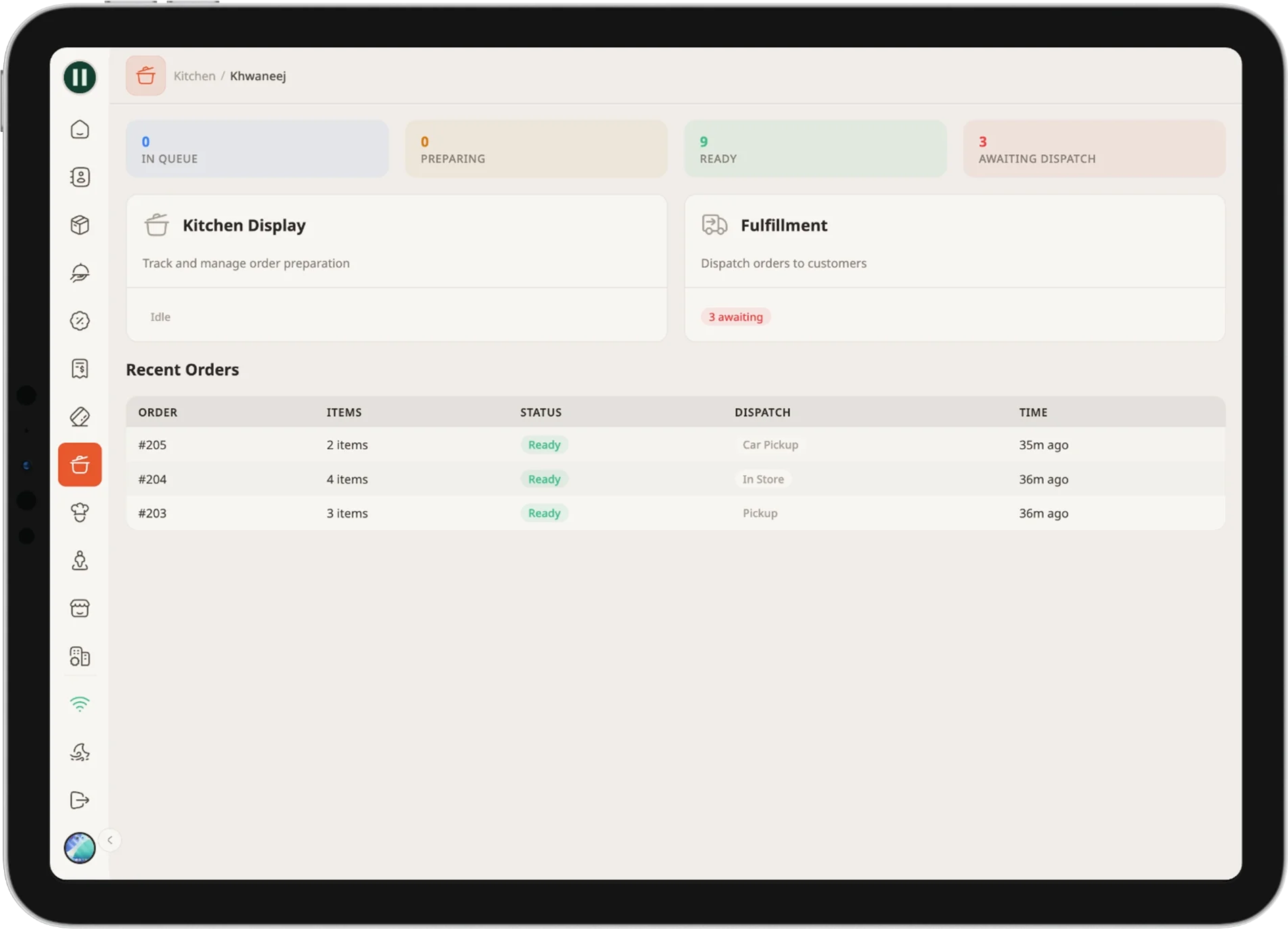
Customer Tracking
Live order status visible on website and confirmation links.
Aggregator Sync
Automatic status callbacks to delivery platforms.
POS State
Current preparation state reflected across all terminals.
Experience BiteCloud
Ready to take your restaurant to the next level?
Sign up for a free demo and see how BiteCloud can help you streamline your operations and improve customer experience.
